How The Tipoff works, screen by screen.
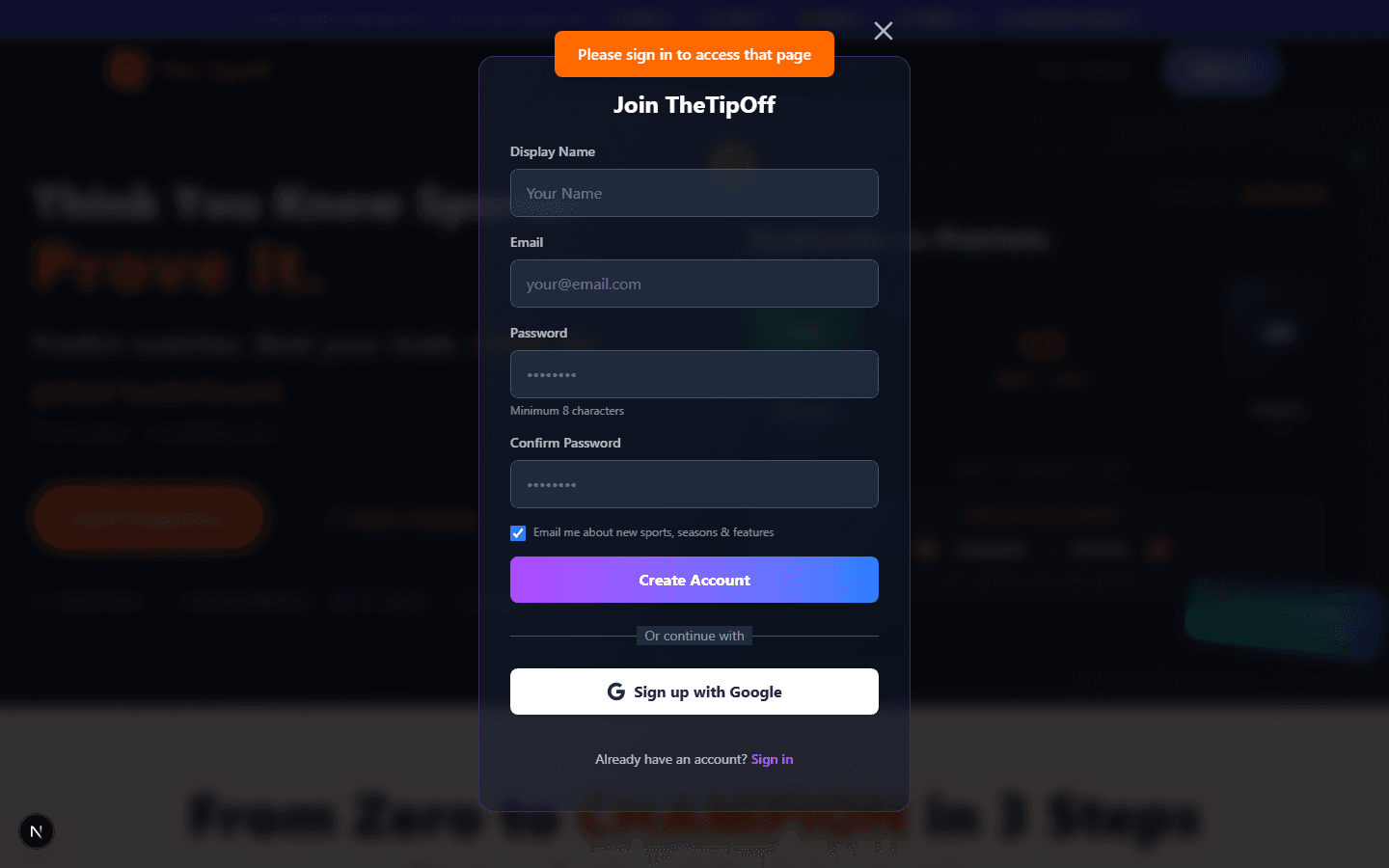
The Tipoff is a free way to predict sports outcomes with friends, your group, or the world — then react to every match with the whole Tipoff community and talk it over with your own private group. No mockups here — every screenshot below is the real app. Here's exactly how it works, from signing up to your first tip.
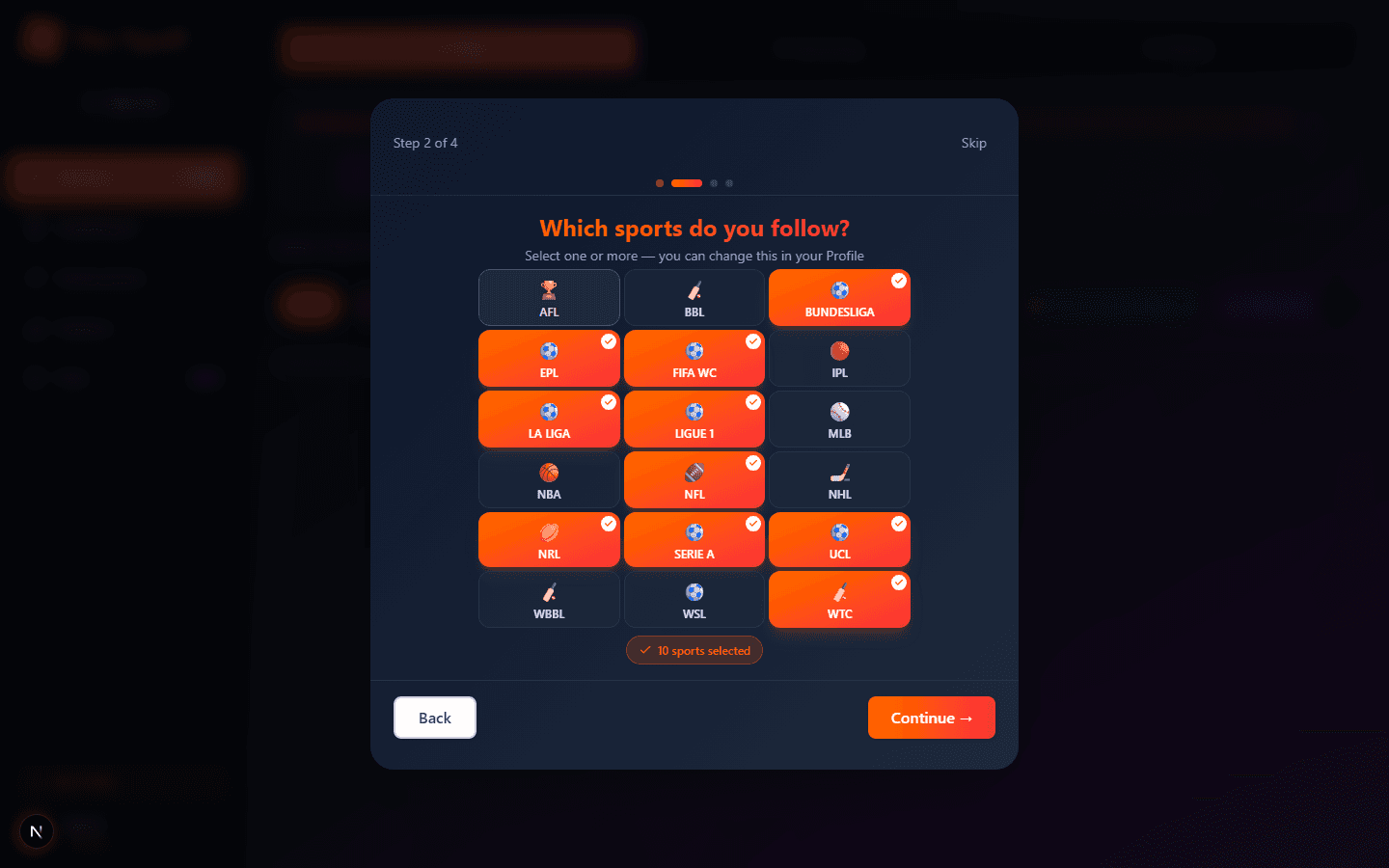
Eleven steps, in the order a new user actually experiences them: signing up, the onboarding walkthrough, your profile, your weekly catch up, tipping, the Match Wall, the leaderboard, group chat, achievements, statistics, and polls. Each one shows a real screen from the app, not a mockup.
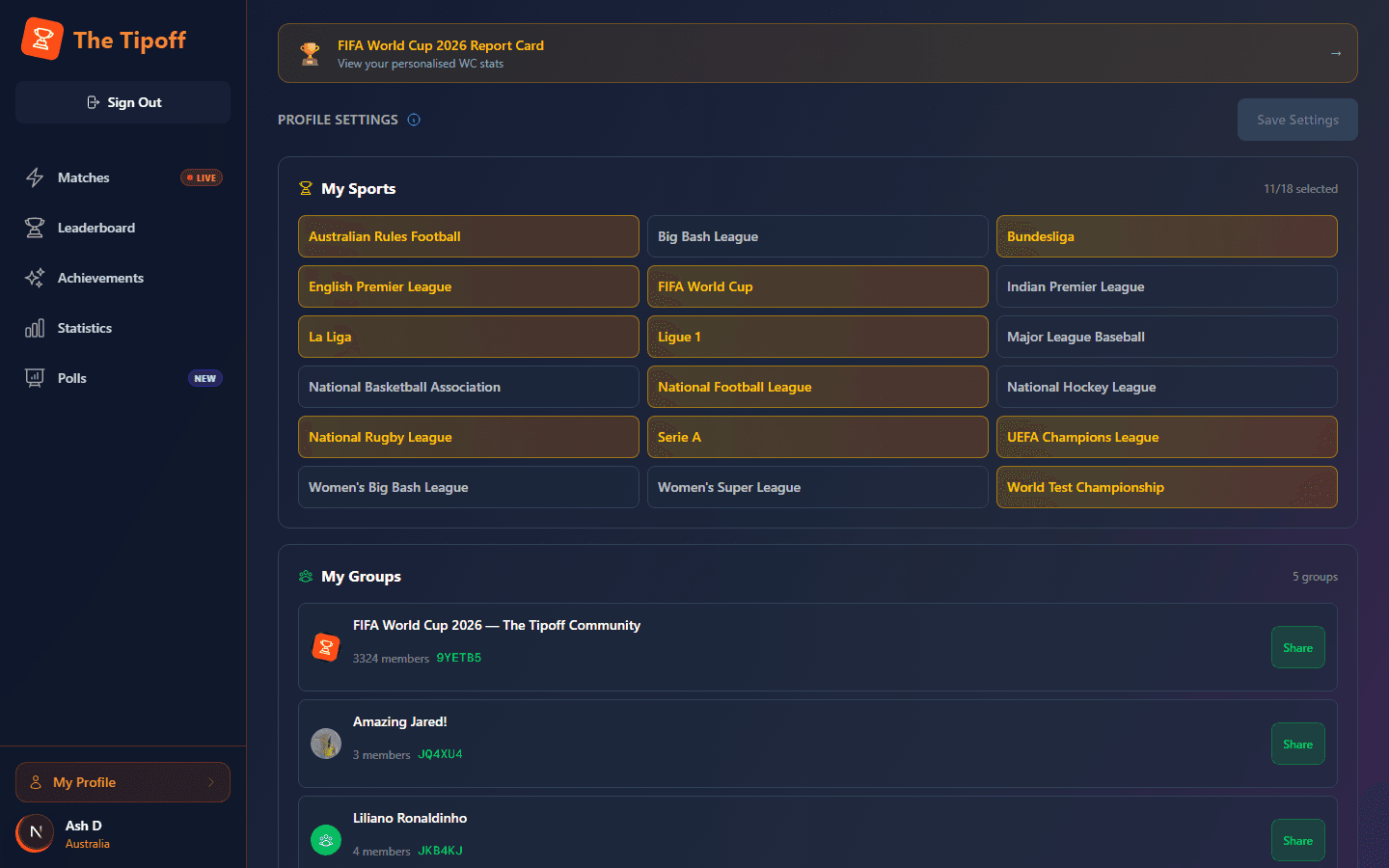
Manage your sports, notifications, and groups in one place
Your profile is where you choose the sports you follow, edit your display name, and set your notifications, country, and timezone. It's also where you manage every group you're in — create a new one, join with a code, share an invite, or open the group's chat. You can replay the setup tour from here too, and find any report cards you've earned. One thing to know: badges live on a separate Achievements page, not here.
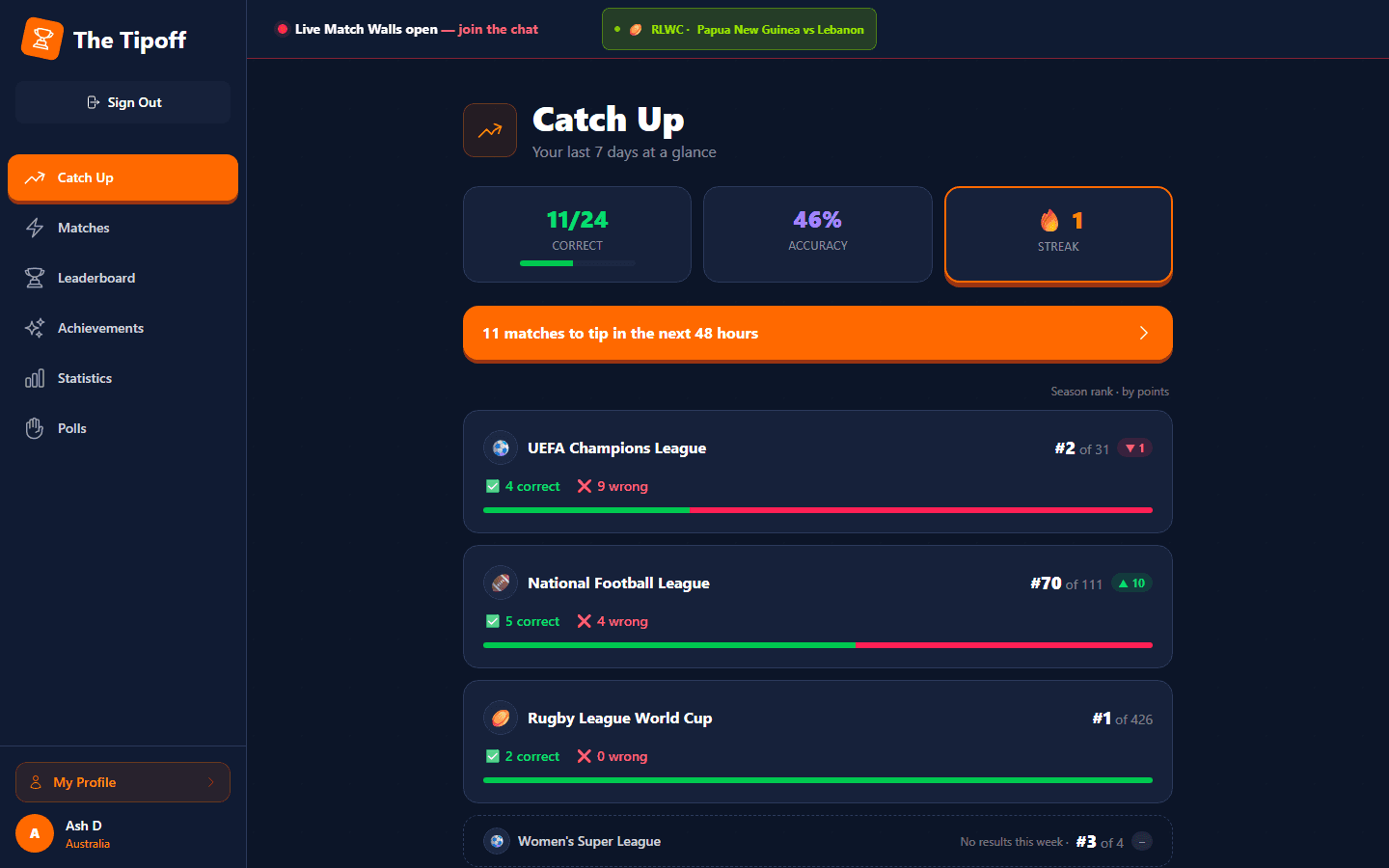
Your last 7 days on one screen — a great place to start
Catch Up is a rolling 7-day snapshot of how you're going. See how many tips you got right and wrong in each sport you follow, where you sit on each sport's season leaderboard and whether you've climbed or slipped over the past week, plus any badges you've earned. Got matches still to tip in the next 48 hours? One tap takes you straight to them.
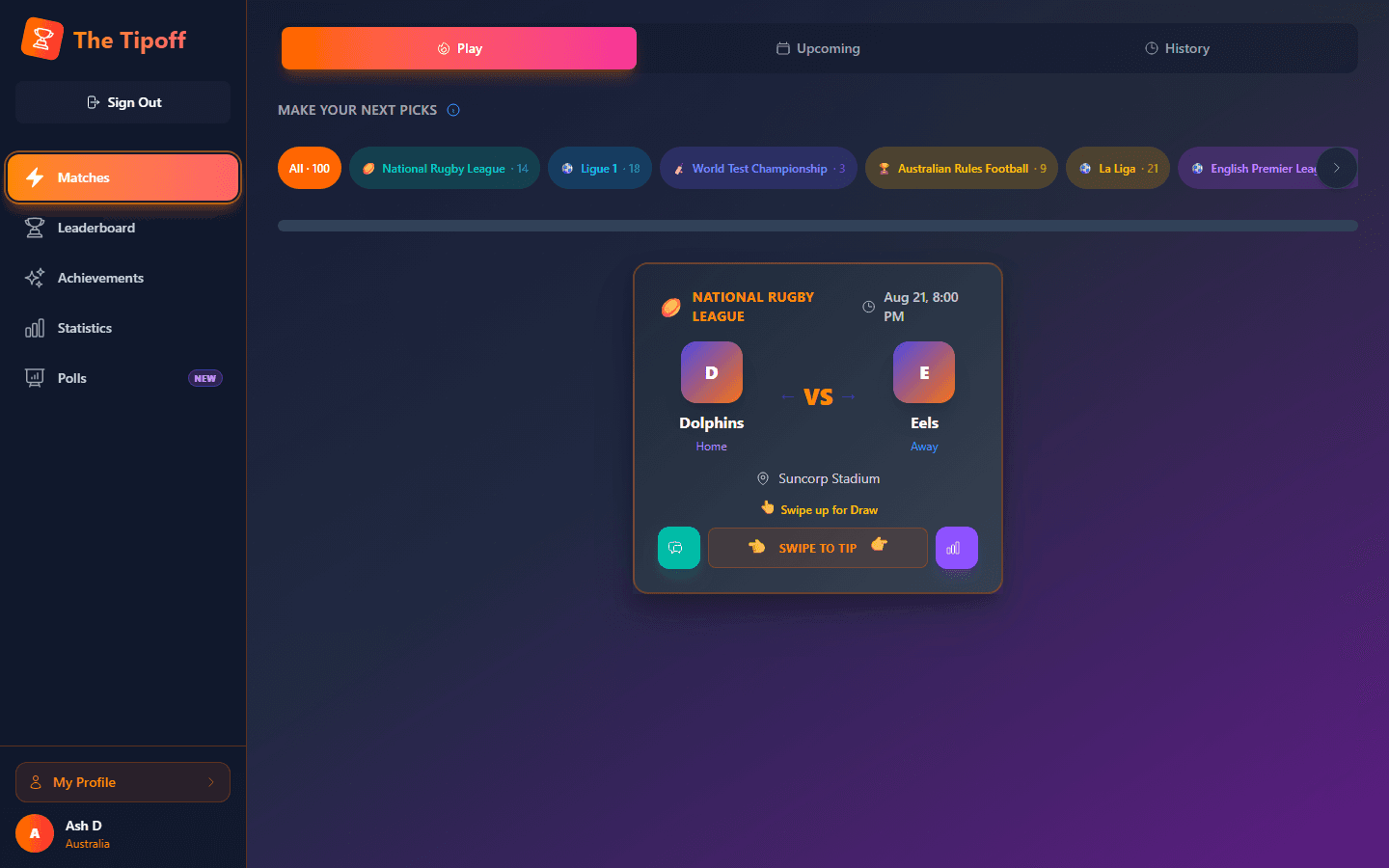
This is your home tab — swipe to pick winners before kickoff
Swipe a match card left to back the home team, right for the away team, or up for a draw where that's possible. Three tabs keep things organised: Play (matches open to tip now), Upcoming (what's coming), and History (what you've already called). Every card also has a chat button that opens the match's Match Wall, and a form guide button showing each team's recent results.
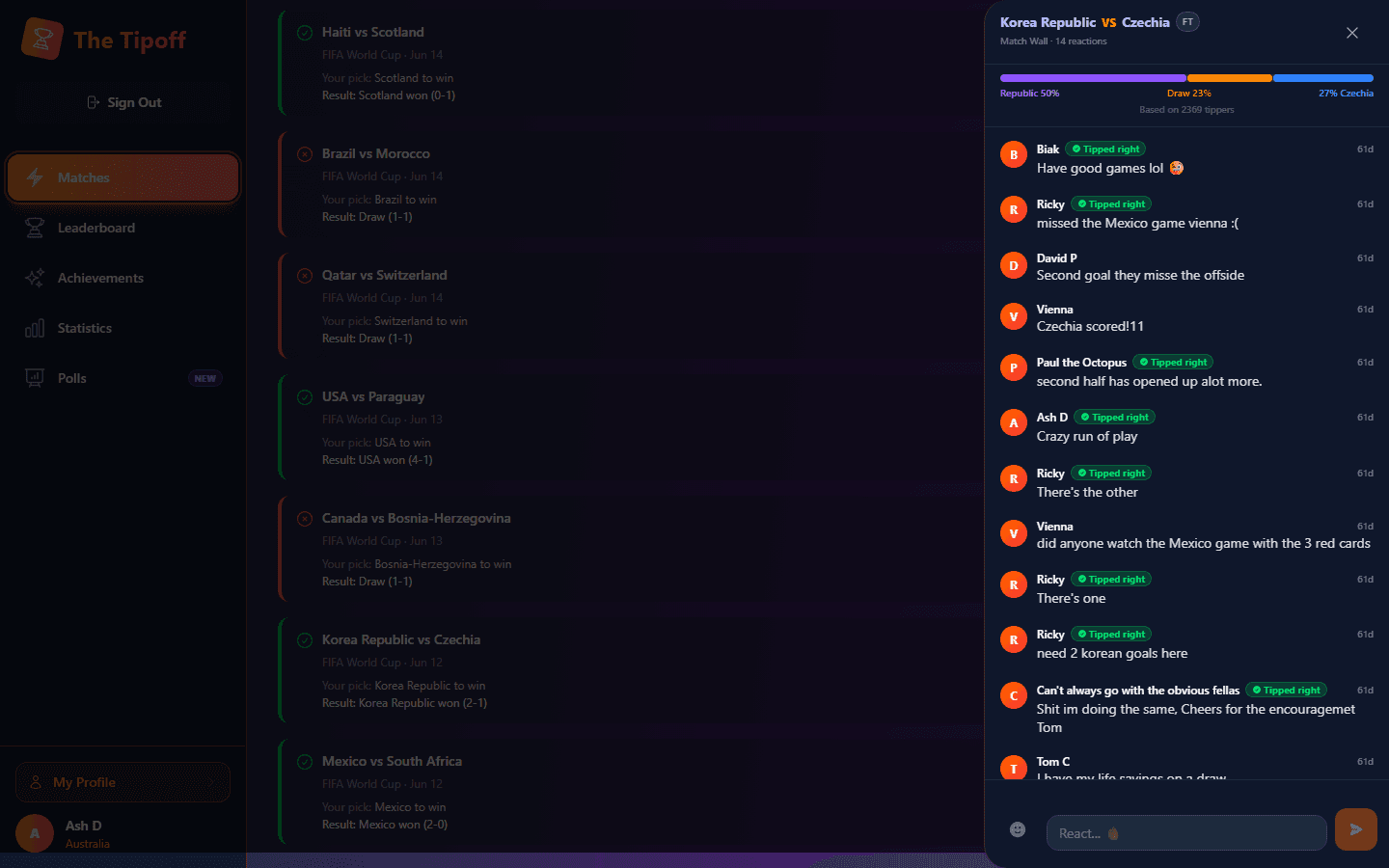
Every match has one global wall — before, during, and after
Once you've tipped a match, its Match Wall opens. It's shared with everyone on The Tipoff who tipped that game, worldwide. Share your call before kickoff, react live as it unfolds, and come back afterwards — the wall stays open for 30 days after the result. You'll see how the community split, and anyone who called it gets a "Tipped right" badge. Open it from the chat button on a match card, the LIVE button while games are on, or your History.
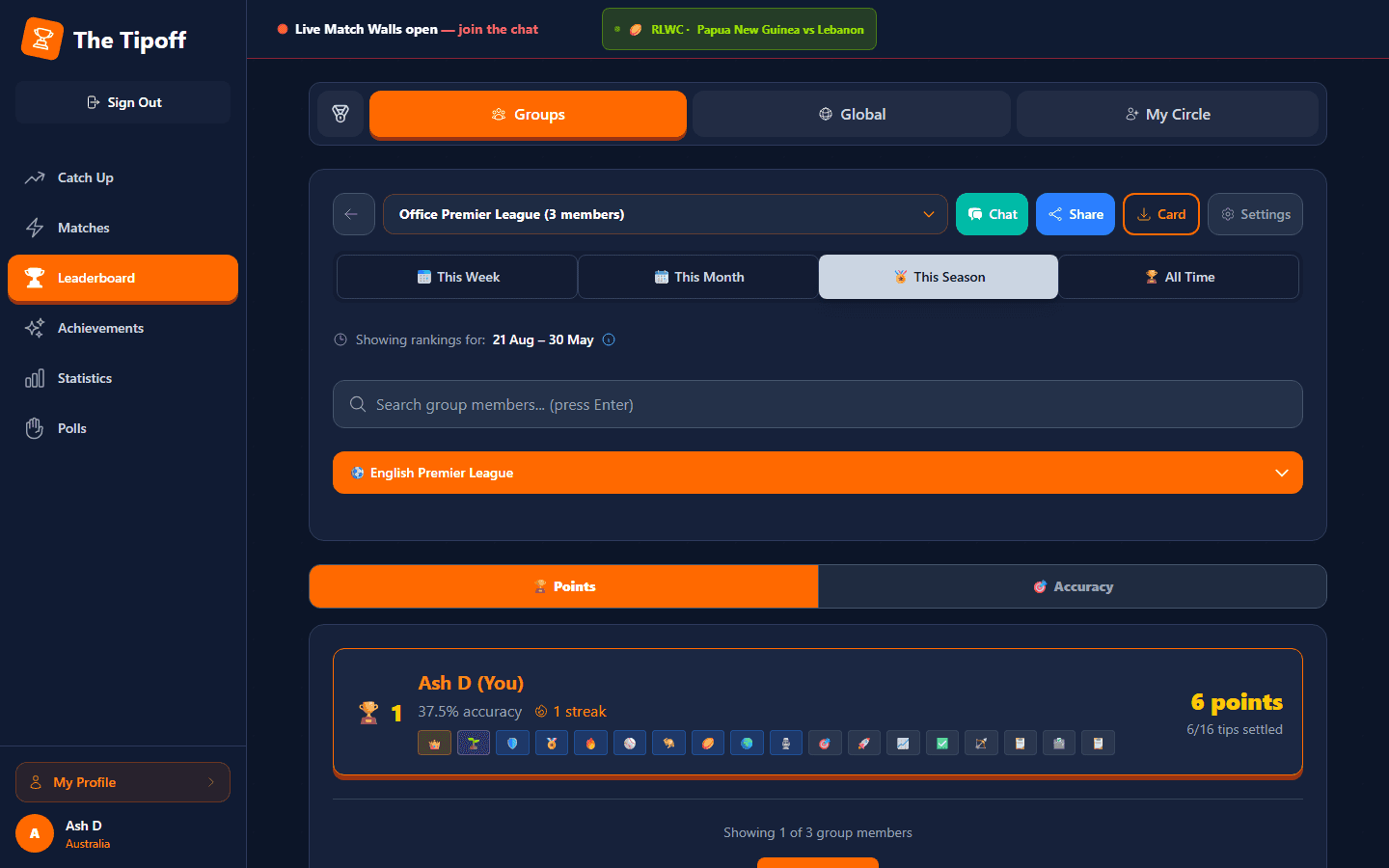
Three tabs: Groups, Global, and My Circle
Groups shows the ranking inside any group you belong to. Global ranks every tipper on the platform. My Circle lets you follow specific rivals outside your group. From the Groups tab you can also open a group's share screen to invite more people, or tap the download button for a Group Card: an image of the group's top three and the week's biggest climber, ready to send to WhatsApp or save.
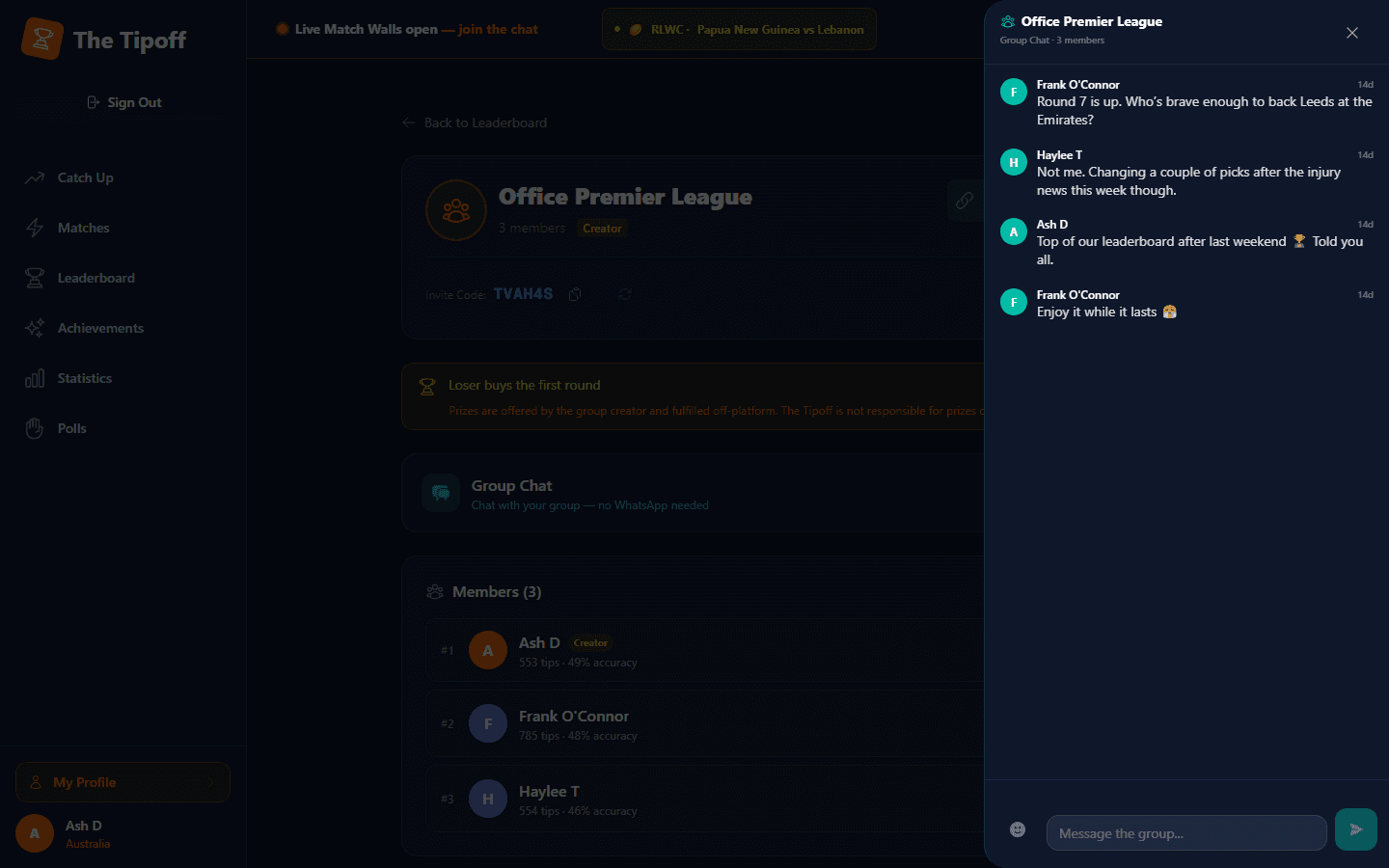
Every private group has its own members-only chat
Each group you're in gets a chat that only its members can read or post in. Use it all season: talk up each round, react to team news, and let everyone know when you climb the group leaderboard. Open it from your group's page, the Leaderboard's Groups tab, or your Profile — an unread count shows when there are new messages.
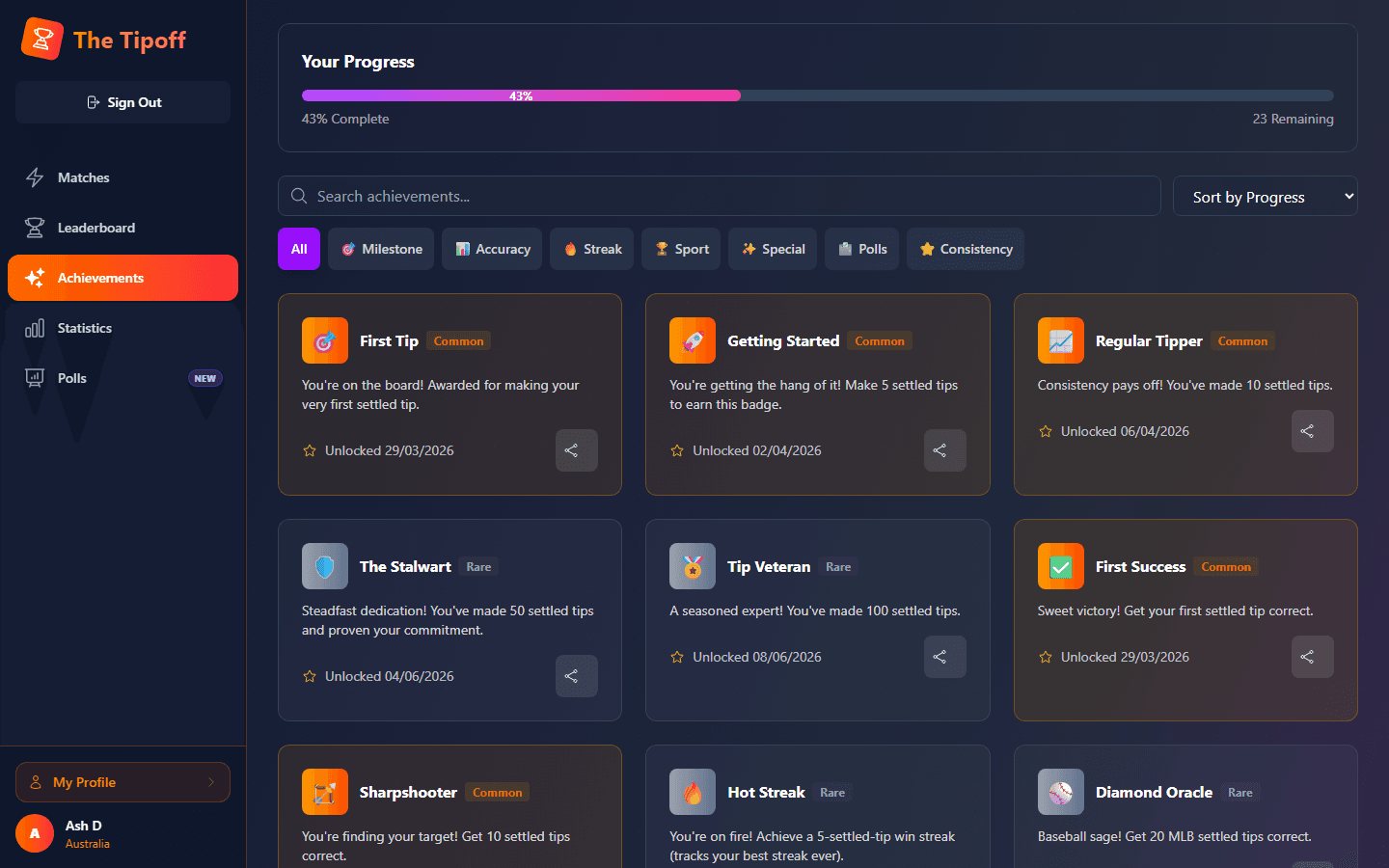
Badges you unlock as you tip — this is where they live
Streaks, accuracy milestones, and bold calls all earn badges, sorted into Common, Rare, Epic, and Legendary tiers. The grid shows what you've unlocked, what's still locked, and how close you are to the next one. Every badge has its own share button.
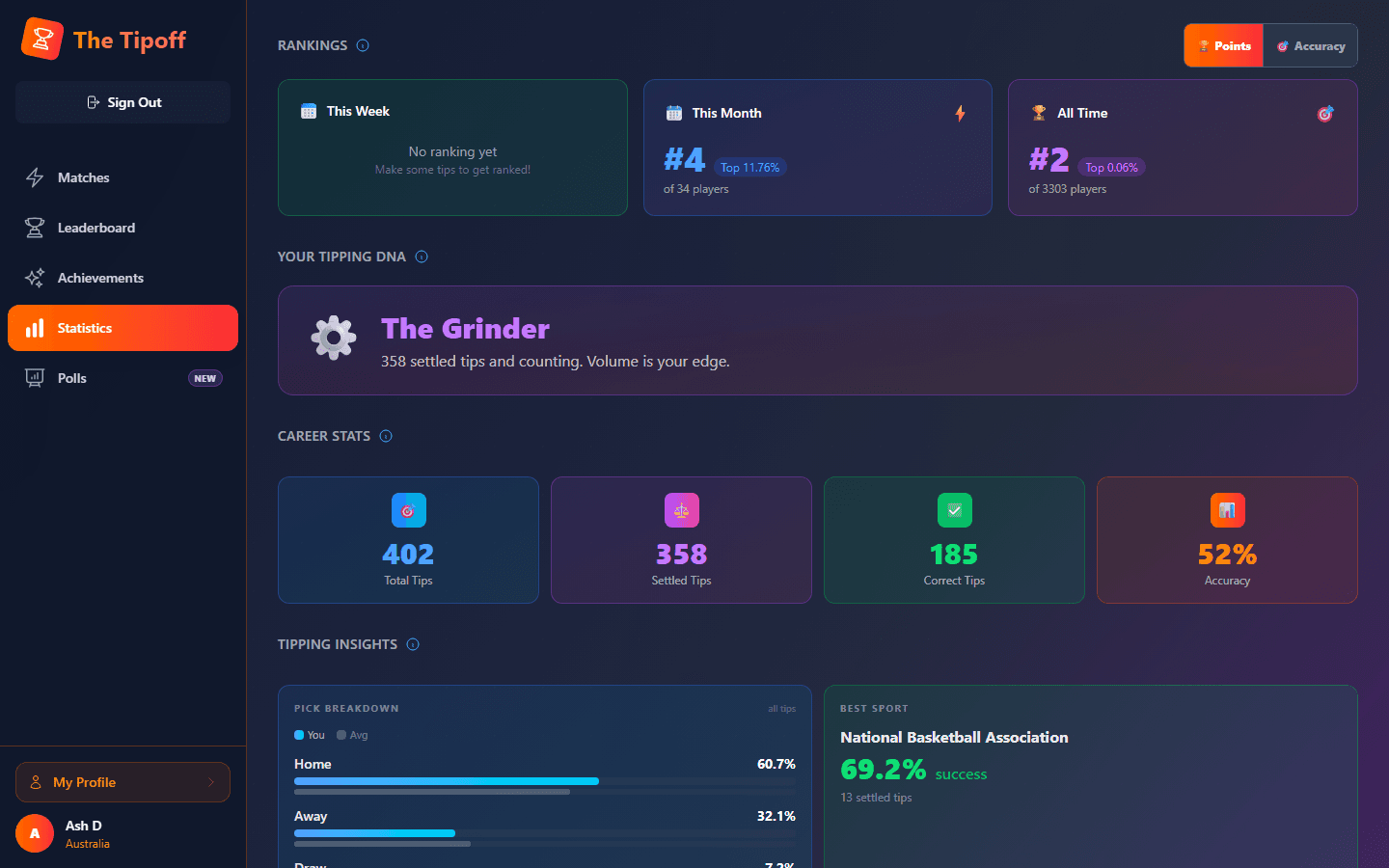
Your personal "Tipping DNA" — this page is just for you
Accuracy, streaks, and a personality-style breakdown of how you tip, with a share panel if you want to post it. There's no separate global stats page — this is the one and only stats view, and it's always about your own numbers.
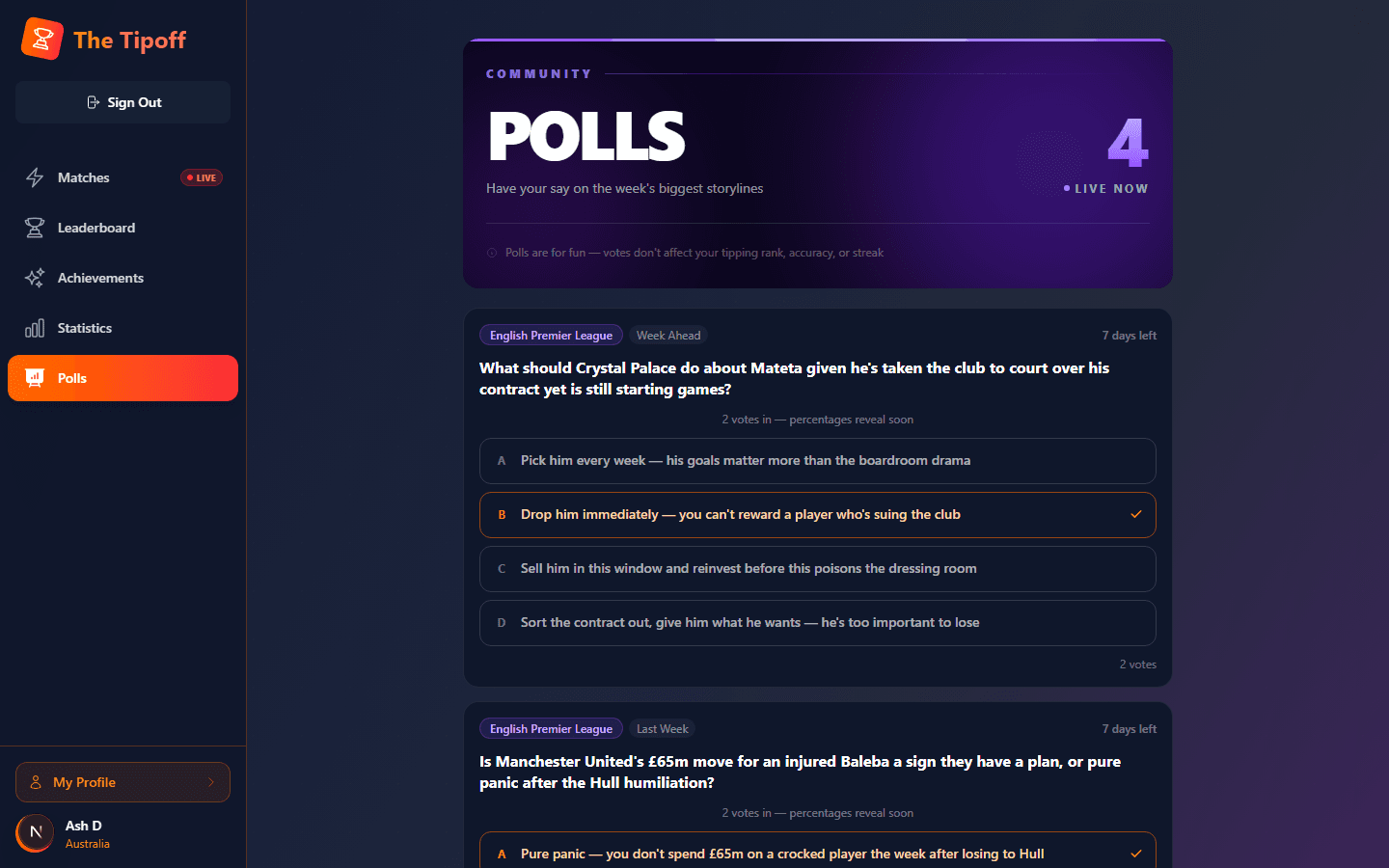
Opinion questions, separate from match tipping
Polls are quick opinion questions about your sport — not tied to a specific match, and they don't affect your tipping rank, accuracy, or streak. Once enough fans have voted, you'll see how the community split, with framing like "You're with the 60% majority" or "Brave call — only 25% agree."